Give your day some shape
Set start and end times, add notes, and choose icons and colors. A full-day timeline keeps your plans clear, including those that cross midnight.
 Peter's DiaryMac · iPhone · iPadPlans & everyday moments
Peter’s Diary brings plans and everyday moments onto one timeline. Make space for what you want to do, and keep the words and photos you want to remember.
App Store release in preparation
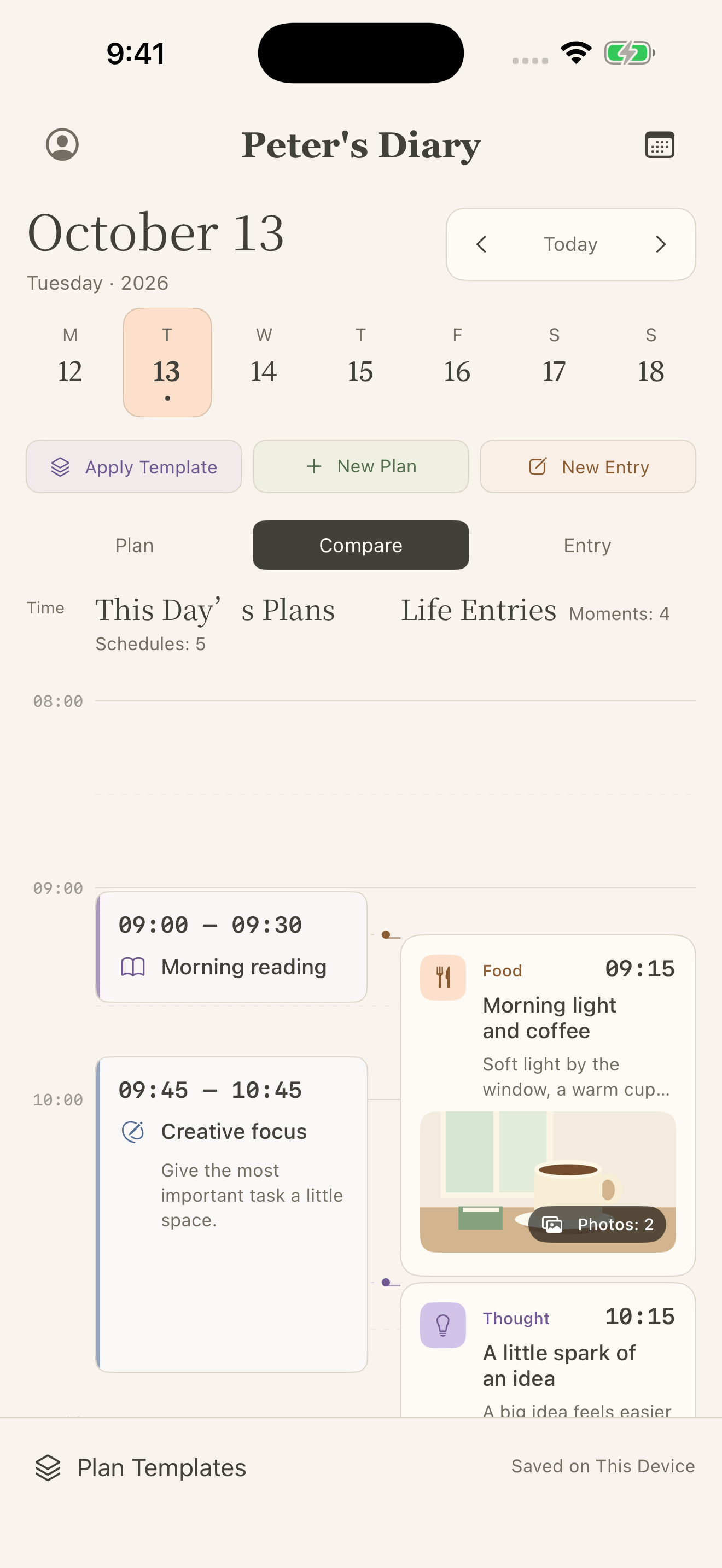
A morning plan, an afternoon idea, a photo before sunset. Give the things you plan and the moments you live a place of their own.
Set start and end times, add notes, and choose icons and colors. A full-day timeline keeps your plans clear, including those that cross midnight.
Save words and multiple photos in each entry. Every moment has a time of its own, so you can look back at what happened alongside what you planned.
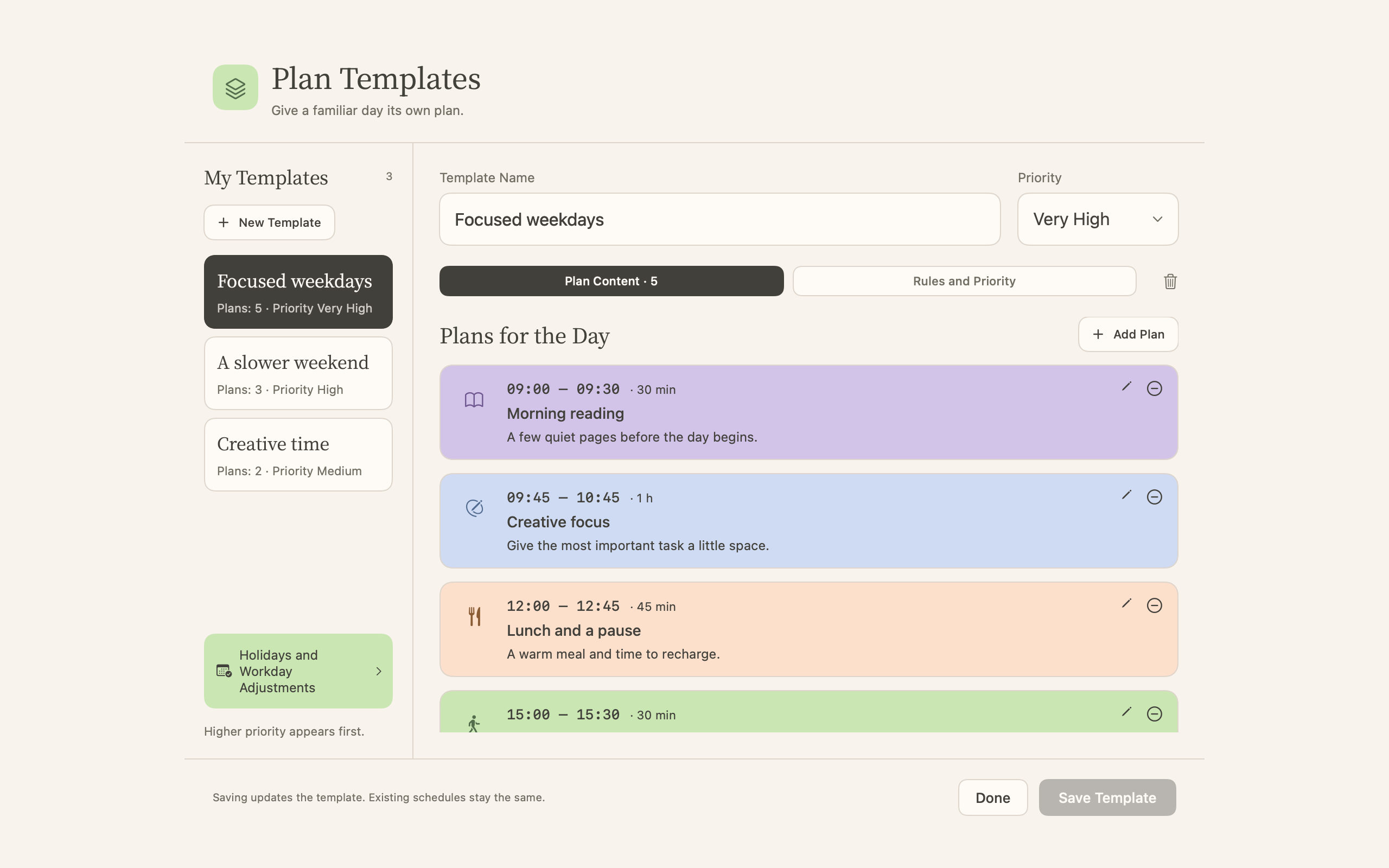
Save reusable plans as templates with date rules and priorities. Choose a day and apply a matching template when you’re ready.
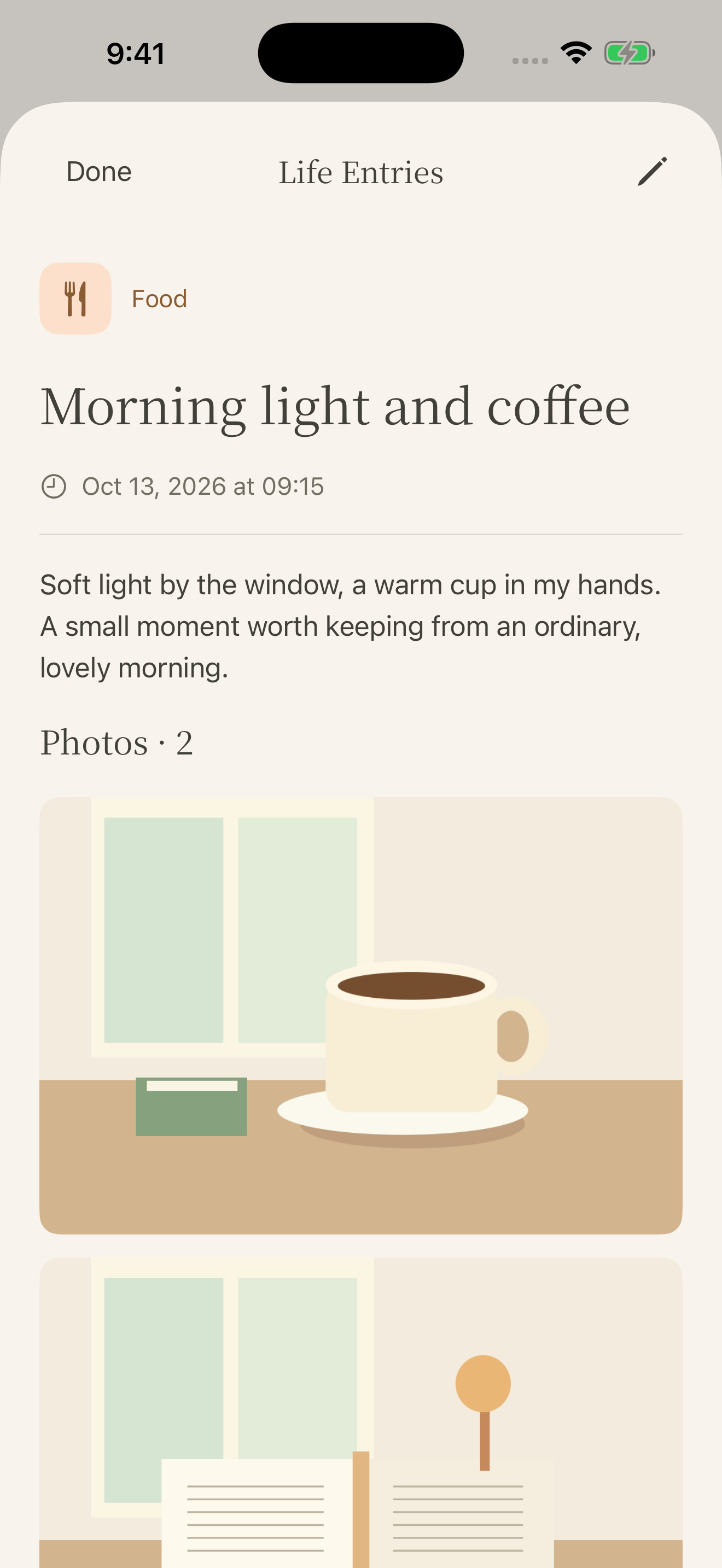
A coffee, a thought, a few photos from a trip. Add words and multiple photos to an entry, and keep more of the details that make a moment yours.
Read the guideSave a familiar day as a template. Rules and priorities help you find the right plan. You confirm when to apply it, and your journal entries stay in place.
Write a quick entry on iPhone, spread out your day on iPad, or take time to plan on Mac. Three kinds of screens, one clear way to see your day.
Keep everyday moments close
Give your day more space
Plan with a keyboard and a bigger view
Begin planning and journaling without signing in first. Content is saved on your current device, ready when you open the app again.
The app supports Simplified Chinese, Traditional Chinese, English, Japanese, Korean, and French.
Find help with the app, or learn about content storage and permissions.
For support and privacy questions: panxingyuhk@gmail.com.